
HFV Indices are a Synthetic Index family built by Deriv for speed. They require a dedicated Deriv MT5 start trading HFV indices because their fast feed leaves no room for last-minute adjustments once a trade is live. Synthetic Indices simulate constant volatility rather than tracking a real-world asset. While standard Volatility Indices generate one tick every two seconds, HFV Indices generate two ticks every second, which is four times the update frequency.
Because of the volume of data this generates, HFV Indices are currently only available on Deriv MT5. Trading them effectively means preparing your Deriv MT5 workspace in advance rather than reacting in the moment.
Step 1: Choose the right MT5 account types
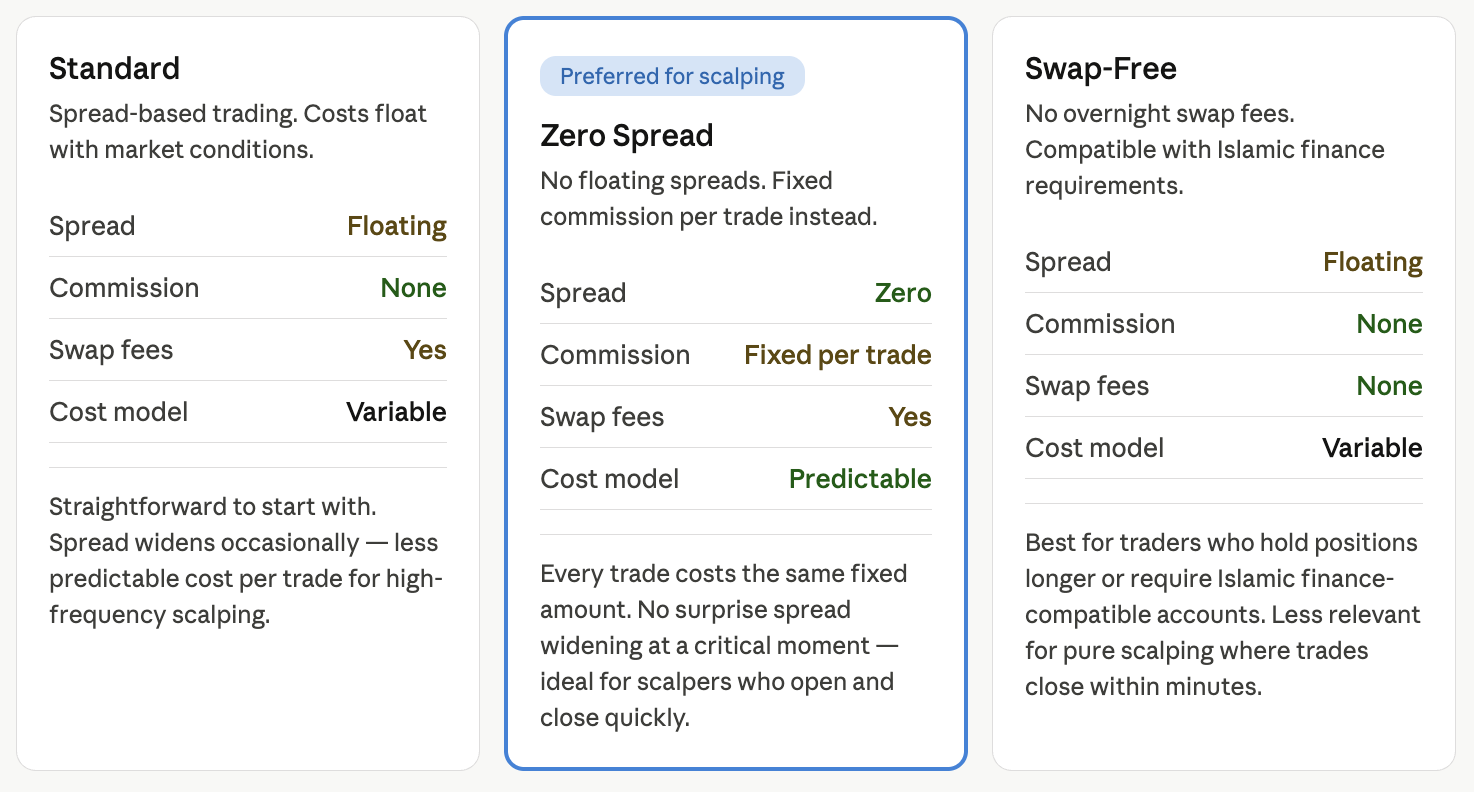
You need one of three Deriv MT5 account types to trade HFV Indices: Standard, Swap-Free, or Zero Spread.
- Standard account: The traditional, spread-based account. It suits most beginners exploring Synthetic Indices on Deriv MT5 for the first time.
- Zero Spread account: Trades with zero spreads, applying a fixed commission per trade. Traders who scalp by opening and closing trades within minutes often prefer the Zero Spread account due to the predictable cost structure.
- Swap-Free account: Designed for traders who follow Islamic finance principles, or who want to hold positions overnight without paying swap charges.
Step 2: Add Synthetic Indices on Deriv MT5 to your Market Watch
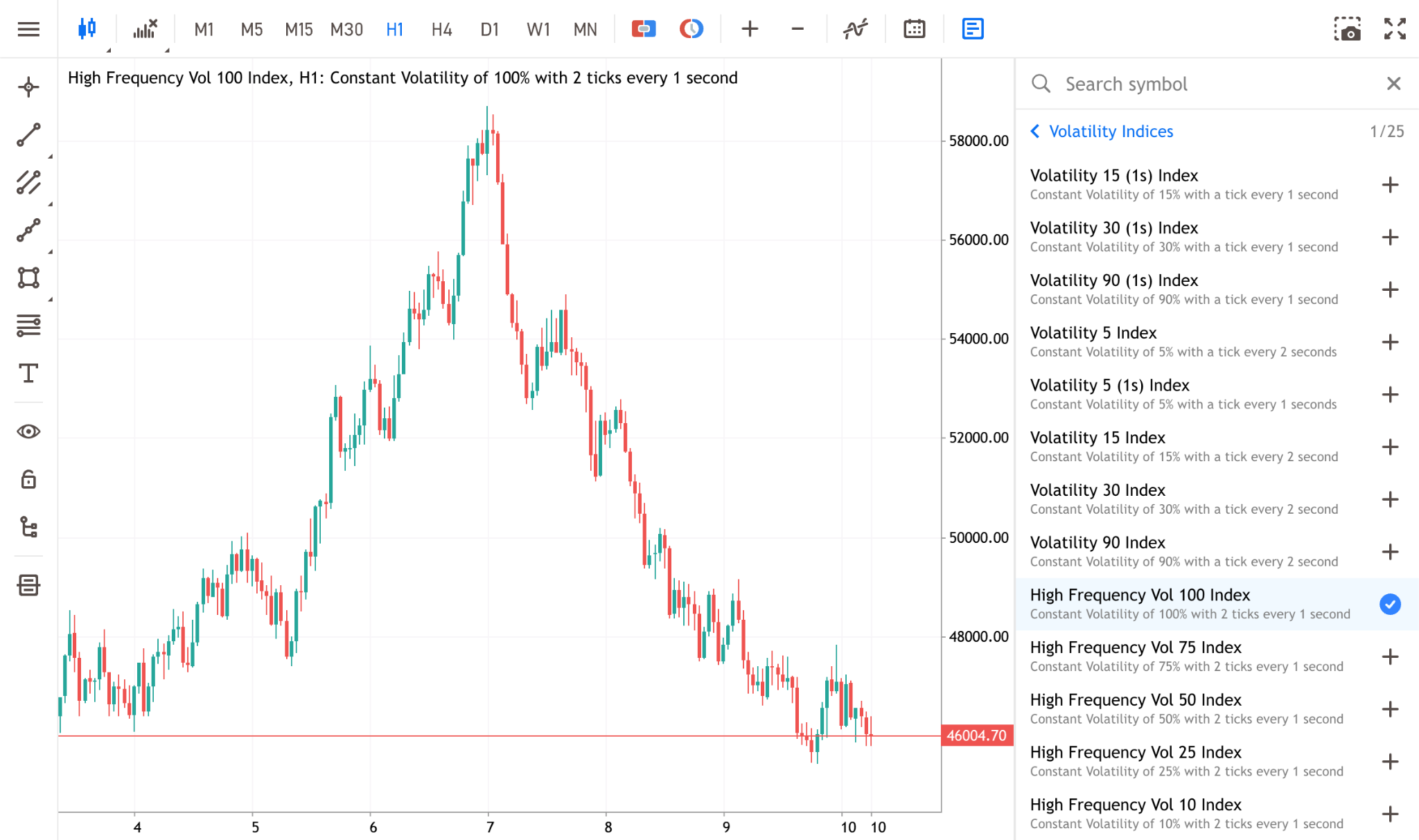
They’re not always displayed by default, so you must add them to your Market Watch panel manually.
- Open the Market Watch window (press Ctrl + M on Windows).
- Right-click anywhere inside the Market Watch window and select Symbols (or press Ctrl + U).
- In the Symbols window, navigate to the Volatility Indices folder.
- Look for the HFV assets: High Frequency Vol 10, 25, 50, 75, and 100 Index.
- Double-click each index you wish to trade so the symbol icon turns gold.
- Click OK.
Step 3: Customise your charts for high frequency volatility
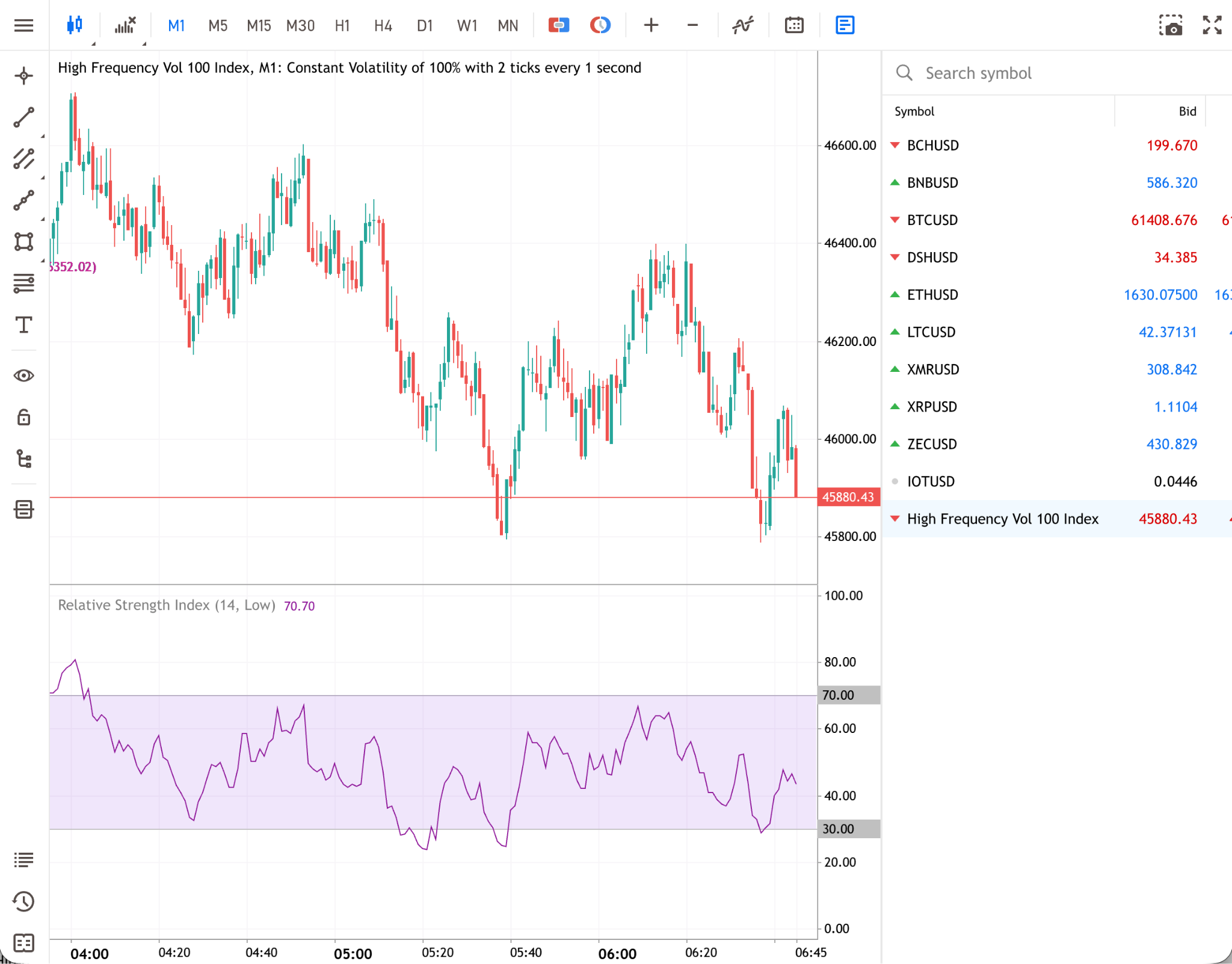
Because HFV indices update at two ticks per second, viewing them on a high timeframe (like a Daily or 4-Hour chart) will compress the micro-movements.
Select a lower timeframe
Traders typically utilise the 1-Minute (M1) or 5-Minute (M5) timeframes. On the Deriv MT5 toolbar, click the M1 button to adjust the chart.
Customise the visual layout
Right-click the chart and select Properties. Ensure that the "Show Ask price line" is enabled to visually see both the Bid and Ask lines.
Apply relevant indicators
Keep your charts clean. Overloading a fast-moving chart can cause analysis paralysis.
Step 4: Enable one-click trading
In a market updating twice every second, manually opening an order ticket can take too long.
- Go to Tools > Options in the top menu (or press Ctrl + O).
- Navigate to the Trade tab.
- Check the box for One Click Trading.
- Read and accept the disclaimer.
You can pre-set your desired lot size in the panel that appears on your chart to place trades instantly.
How do you manage risk when one-click trading HFV Indices?
Because one-click trading opens your position at the current market price without a stop-loss attached, traders need to add one immediately after the trade opens. You can do this by dragging the entry line on your Deriv MT5 chart down (for a buy) or up (for a sell), or by using a standard order ticket to enter an exact stop-loss price before submitting the order.
In a rapidly moving market, positions can close at a less favourable price than set, which is known as slippage. Never leave an HFV position open without a stop-loss in place.
Practise with a demo account
You can familiarise yourself with how to start trading HFV indices and the fast-paced nature of HFV Indices by using a free Deriv demo account. This allows you to walk through the steps in this guide without risking real funds.
Quiz
FAQs


