How to start trading High Frequency Volatility Indices on Deriv MT5?

5
mins. de lectura
5
mins. de lectura
An abstract 3D financial illustration featuring a dark central globe surrounded by orbiting candlestick charts, glowing blue spheres, rising bar graphs, and dynamic, spiky lines representing high-frequency data and market volatility.

Set up High Frequency Volatility (HFV) trading on Deriv MT5 by choosing the right account type, adding the HFV instruments to your Market Watch, and configuring your charts for a feed that updates twice every second. This guide walks through that setup step by step, from account selection through to risk management, so you can trade these fast-moving Synthetic Indices without technical delays.

Puntos clave

  • High Frequency Volatility (HFV) Indices are exclusive to Deriv MT5; they aren't available on Deriv Trader or Deriv cTrader.
  • HFV Indices come in five levels (Vol 10, 25, 50, 75, and 100) and update at two ticks per second, four times faster than Deriv's standard Volatility Indices.
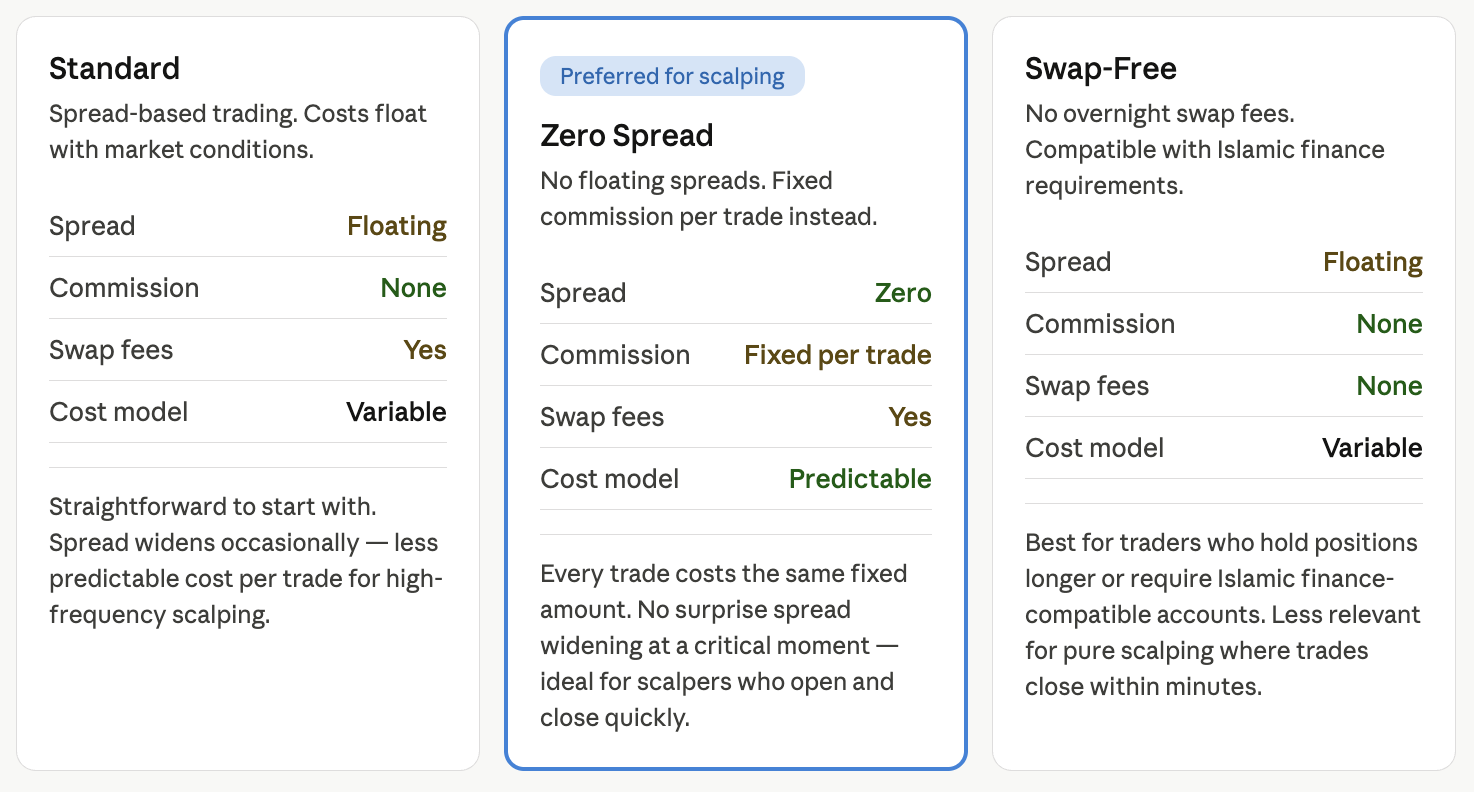
  • You can trade HFV Indices on three Deriv MT5 account types: Standard, Swap-Free, and Zero Spread.
  • HFV instruments don't appear in your Market Watch by default. You need to add them manually through the Symbols window.
  • One-click trading opens a position instantly without a stop-loss attached, so you need to apply your stop-loss manually the moment a trade opens.

What are HFV Indices, and why do they need their own Deriv MT5 setup?

HFV Indices are a Synthetic Index family built by Deriv for speed, and they need a dedicated Deriv MT5 setup because their fast feed leaves no room for last-minute adjustments once a trade is live. Synthetic Indices are Deriv's proprietary markets that use an algorithm to simulate constant volatility, rather than tracking a real-world asset such as a stock or currency pair. Where Deriv's standard Volatility Indices generate one tick (a single price update) every two seconds, HFV Indices generate two ticks every second. That's four times the update frequency.

Because of the volume of data this generates, HFV Indices are currently only available on Deriv MT5, Deriv's MetaTrader 5-based CFD (contract for difference) trading platform. They aren't offered on Deriv Trader or Deriv cTrader. Trading them well means preparing your Deriv MT5 workspace in advance rather than reacting in the moment: choosing the right account, loading the correct instruments, setting up your charts for short timeframes, and getting your execution and risk tools ready. Minimising the time spent searching for an instrument or typing in a lot size helps you stay focused on the trade.

Step 1: Choose the right MT5 account types

You need one of three Deriv MT5 account types to trade HFV Indices: Standard, Swap-Free, or Zero Spread.

  • Standard account: the traditional, spread-based account. It suits most beginners exploring Synthetic Indices on Deriv MT5 for the first time.
  • Zero Spread account: trades with zero spreads, with a fixed commission applied per trade.
  • Swap-Free account: designed for traders who follow Islamic finance principles, or who want to hold positions overnight without paying swap charges. HFV Indices are typically used for short-term trading, but a Swap-Free account gives you flexibility if a trade runs longer than planned.

You can open any of these as a real or demo account through your Deriv Trader's Hub. Set this up before moving on to your Market Watch.

Step 2: Add Synthetic Indices on Deriv MT5 to your Market Watch

Once logged into your Deriv MT5 account, you will need to locate the HFV instruments. They are not always displayed by default, so you must add them to your Market Watch panel manually.

  1. Open the Market Watch window (usually located on the left side of the screen; if it is hidden, press Ctrl + M on Windows).
  2. Right-click anywhere inside the Market Watch window and select Symbols (or press Ctrl + U).
  3. In the Symbols window, navigate to the Volatility Indices folder.
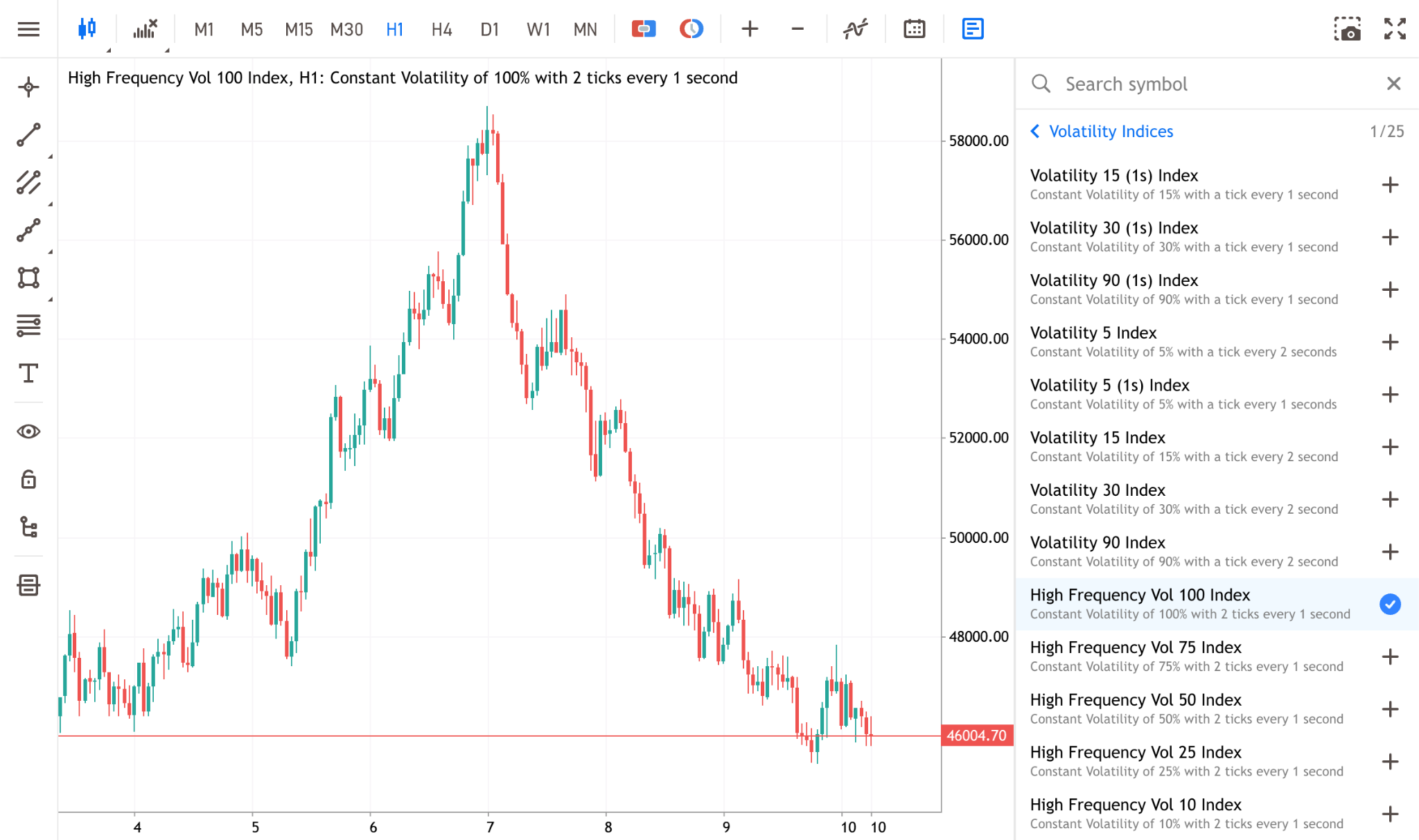
  4. Look for the specific HFV assets. You will find five distinct levels available: High Frequency Vol 10 Index, High Frequency Vol 25 Index, High Frequency Vol 50 Index, High Frequency Vol 75 Index, and High Frequency Vol 100 Index.
  5. Double-click each index you wish to trade so the symbol icon turns gold. This indicates the instrument is now active in your Market Watch.
  6. Click OK to close the window.

You can now click and drag any of these indices from the Market Watch directly onto the main charting area to view their rapid price action.

Step 3: Configure your charts for high frequency volatility

Because HFV indices update at two ticks per second, viewing them on a high timeframe (like a Daily or 4-Hour chart) will not provide the granular detail needed to capitalise on their speed.

To set up your chart effectively:

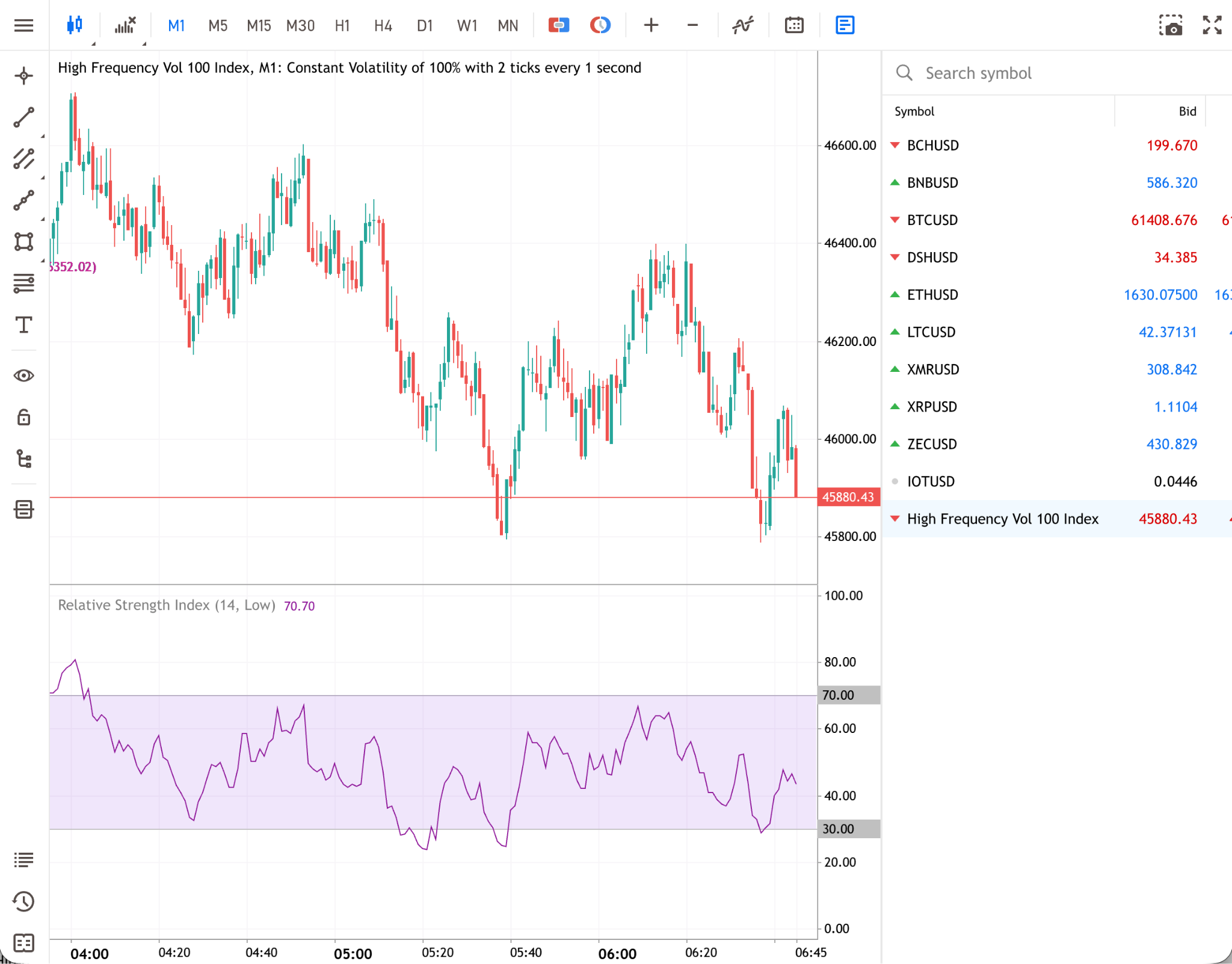
  • Select a lower timeframe: Traders typically utilise the 1-Minute (M1) or 5-Minute (M5) timeframes. On the Deriv MT5 toolbar, click the M1 button to adjust the chart. This allows you to see the micro-movements generated by the high-frequency feed.
  • Customise the visual layout: Right-click the chart and select Properties. Ensure that the "Show Ask price line" is enabled. Because spreads matter in short-term trading, visually seeing both the Bid and Ask lines helps you understand the exact cost of entry in real-time.
  • Apply relevant indicators: Keep your charts clean. Overloading a fast-moving chart with too many indicators can cause analysis paralysis. Stick to one trend identifier (like a Moving Average) and one momentum oscillator (like the RSI).

Step 4: Enable one-click trading

In a market that updates twice every second, manually opening an order ticket, typing in your lot size, and clicking buy or sell can take longer than one-click trading in fast-moving conditions. Enabling one-click trading is a critical part of your Deriv MT5 setup.

  1. Go to Tools > Options in the top menu (or press Ctrl + O).
  2. Navigate to the Trade tab.
  3. Check the box for One Click Trading.
  4. Read and accept the disclaimer.

Once enabled, a small panel will appear in the top-left corner of your chart. You can pre-set your desired lot size in this panel. When your trading setup aligns, you can place a trade instantly using the platform.

How do you manage risk when one-click trading HFV Indices?

You manage risk when one-click trading HFV Indices by adding a stop-loss immediately after the trade opens, since one-click trading doesn't set one for you. Speed cuts both ways: the same execution speed that lets you enter a position instantly also means an unprotected position can move against you at the same speed.

One-click trading opens your position at the current market price without a stop-loss attached. You need to add one immediately after the trade opens, either by:

  • dragging the entry line on your Deriv MT5 chart down (for a buy position) or up (for a sell position) to set your stop-loss level visually, or
  • using a standard order ticket instead of one-click trading, where you can calculate your pip value (the monetary value of the smallest price move) and enter an exact stop-loss price before you submit the order.

A stop-loss helps you define the maximum you're willing to lose on a trade, but it doesn't guarantee that exact outcome in fast-moving conditions. In a rapidly moving market, your position can close at a less favourable price than the one you set, a gap known as slippage. Never leave an HFV position open without a stop-loss in place; at two ticks per second, price can move against an unprotected position before you've had time to react manually.

Where do HFV Indices fit in your trading?

HFV Indices fit well into short-term, rules-based trading styles, where the faster feed gives you more price points to react to within a short window. This includes traders running Expert Advisors (EAs, automated trading scripts) built for high-frequency execution. The trade-off is that moves play out faster too, leaving less room for delayed decisions.

If you're newer to Synthetic Indices or prefer to analyse setups over minutes or hours rather than seconds, Deriv's standard Volatility Indices may suit a more measured approach while you build experience. You can move to HFV Indices once you're comfortable with faster execution, stop-loss placement, and the platform tools covered in this guide.

If you're setting up Deriv MT5 for the first time, Deriv's guide to Deriv MT5 covers account creation, the Trader's Hub, and the platform's broader charting and order tools beyond HFV Indices. And if you want to see how HFV Indices compare with Deriv's other Synthetic Index families, the breakdown of Volatility, Crash, Boom, and Jump Indices explains how each one is engineered for a different trading style.

Practise with a demo account

You can familiarise yourself with the setup and fast-paced nature of HFV Indices by using a free Deriv demo account. This allows you to walk through the steps in this guide, from adding instruments to Market Watch and configuring your charts, to managing your execution and risk tools, without risking real funds.

Cuestionario

No se ha encontrado ningún artículo.

Preguntas frecuentes

Which Deriv MT5 account types support HFV Indices?

HFV Indices are available on three Deriv MT5 account types: Standard, Swap-Free, and Zero Spread. The Standard account uses traditional spreads, the Zero Spread account replaces spreads with a fixed commission per trade, and the Swap-Free account avoids overnight swap charges. You can trade HFV Indices on a real or demo version of any of these three, set up through your Deriv Trader's Hub.

Why should I use a lower timeframe to trade HFV Indices?

HFV Indices update at two ticks per second, four times faster than Deriv's standard Volatility Indices. On a high timeframe such as Daily or 4-Hour, this detail gets compressed and you lose sight of the micro-movements the fast feed generates. Traders often switch to the one-minute (M1) or five-minute (M5) timeframe instead, where each price update is visible and easier to act on.

What does one-click trading do, and why is it useful for HFV Indices?

One-click trading lets you open a buy or sell position at the current market price with a single click, instead of filling in a full order ticket first. In a market updating twice every second, this removes the delay between deciding to trade and entering it. You enable it from Tools, then Options, then the Trade tab in Deriv MT5, after accepting Deriv MT5's risk disclaimer.

How do I manage risk since one-click trading doesn't set a stop-loss automatically?

Because one-click trading opens a position without a stop-loss, you need to add one immediately afterwards, either by dragging the entry line on your Deriv MT5 chart to your desired level, or by using a standard order ticket where you enter an exact stop-loss price before the trade executes. Leaving an HFV position unprotected is risky, since price can move quickly at two ticks per second.

Can I trade HFV Indices on Deriv Trader or Deriv cTrader?

No. HFV Indices are currently only available on Deriv MT5 and aren't offered on Deriv Trader or Deriv cTrader. If you want to trade Synthetic Indices on those platforms, Deriv's standard Volatility Indices are available there instead, updating at a slower one tick every two seconds.

Artículos en esta sección

Pon tus conocimientos en práctica

Descargue Deriv App

Analiza los mercados con información basada en IA

Explorar TradersView

Únete a más de 3 millones de traders en todo el mundo